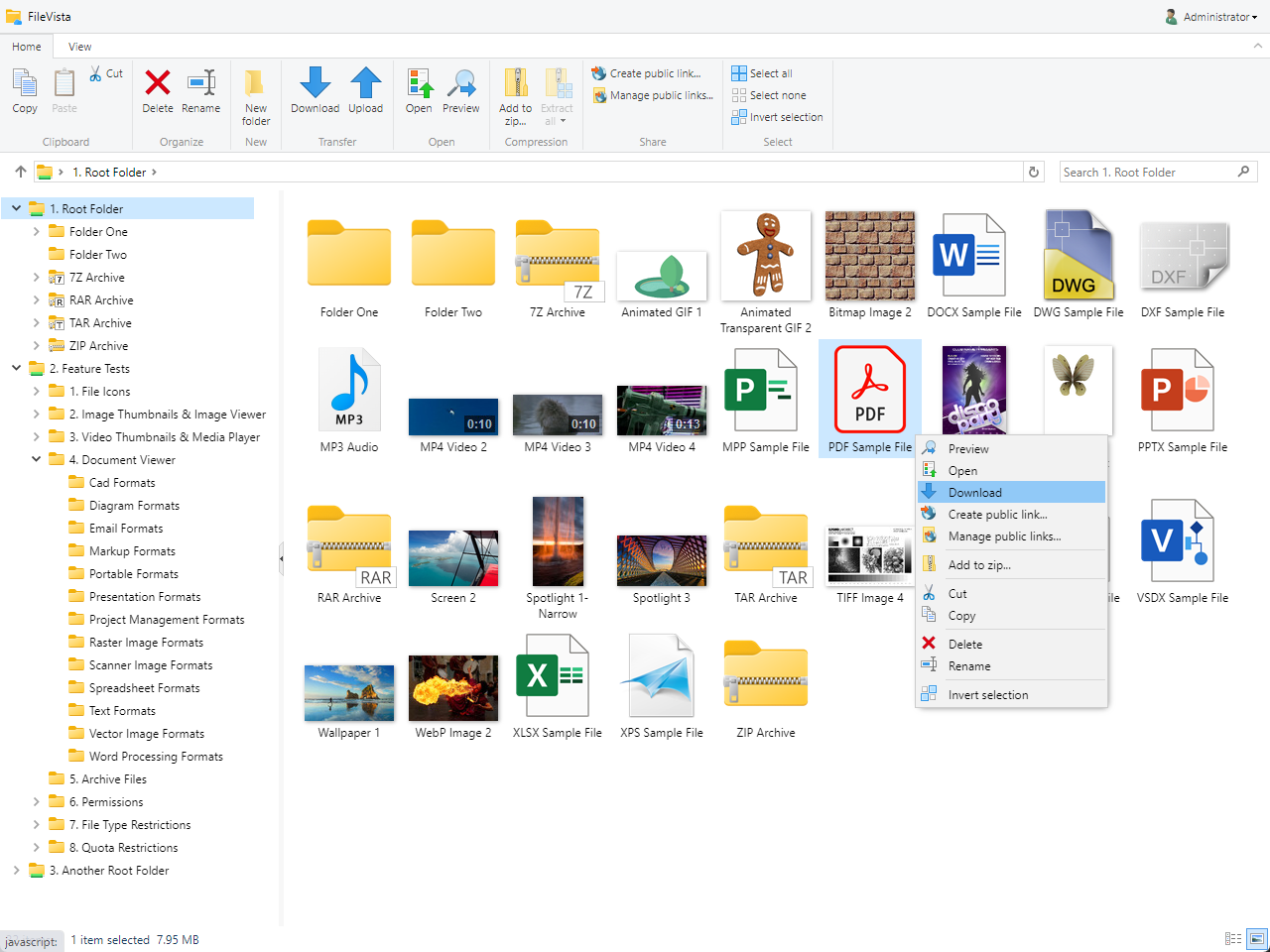
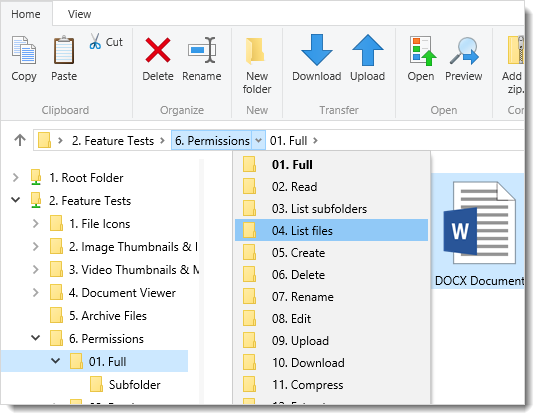
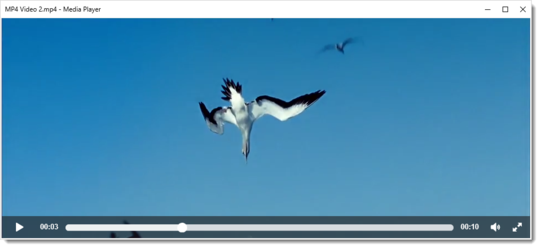
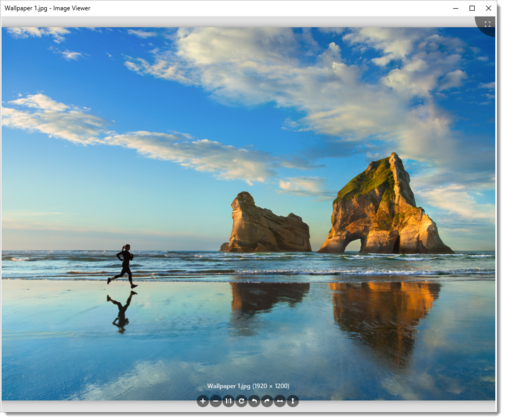
WebExplorer is an asp file manager targeted for Windows Servers with Classic ASP support.
There are three editions of WebExplorer. Lite edition is free and open source and it has basic features.
Pro edition is the advanced version of the Lite edition and it offers features like WYSIWYG editor.
Finally, Server edition is a complete file management/sharing solution that can serve unlimited number of users whereas the other editions can only be used with one user.
Version: 2.13
Price: Free
Download
Try Live Demo
Overview
WebExplorer Lite is an open source code, fast and robust web-based file manager written in ASP with an user-friendly web interface. It allows you to manage your remote files as easily as you do locally. It is an useful tool for Web Developers and Webmasters.
Features
- Password protected security system which can be disabled if desired. NT challenge/response can be used instead.
- Detailed listing of files and folders with "Name", "Size", "Type", "Last Modified" columns . Two colored highlighting for readability and ability to refresh the listing.
- Status messages with reasons after every successful or failed action.
- Details of the current folder.
- Icons for different items. Folders, editable files, viewable files and normal files have different icons. Clicking these icons, you can edit text files, view image files and get file/folder details.
- Text Editor with unicode text files support and Image Viewer which doesn't require web access.
- Ability to download files even without web access by just clicking their names.
- Create a file/folder, delete a file/folder and rename a file/folder.
- Ability to upload one file per time to current remote folder. Uploading does not require any 3rd party components so it works on every web server with a recent MDAC version installed(see requirements).
- File Transfer Plugin system which enables you to write your own upload/download plugin which utilizes your favorite 3rd party component and to use it instead of the generic file transfer plugin provided.
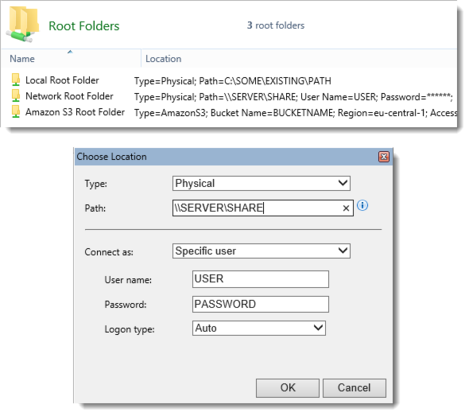
- Customizable root folder. Navigating upper levels from the root folder is prevented. The root folder can be a physical or a virtual path.
- Several settings available for best customization.
Requirements
Server side
- IIS/PWS
- Microsoft Windows Script 5.1+ (here)
- Microsoft Data Access Components (MDAC) 2.5+ (here)
- No 3rd party components are required
Client side
- Any recent browser should work ok (javascript and session-state cookies should be enabled)
Setup
Just upload the contents of the distribution to a folder in your web root like "wexlite", no other configurations are required. Default password is "tester". Edit "config.asp" to customize the settings which are explained by comments.
Copyright
WebExplorer Lite is a freeware with open source code. As long as you keep the copyright message, you can play with the code for your own purposes but you can not distribute the altered version. You can not sell WebExplorer Lite or use it for commercial purposes.
Please contact us for commercial uses.
Version history
-
April 2005 - Version 2.13
- Improved download performance on IIS 6 servers.
-
April 2004 - Version 2.12
- Minor fix for download problems on some Internet Explorer versions.
-
May 2003 - Version 2.11
- Minor cosmetic changes.
- Added new constants monitoredExtensions and denyMonitored.
- Fixed javascript error which caused Netscape to disable actions.
-
November 2002 - Version 2.0
- Rewrote and optimized some parts of the code for maturity.
- Changed folder/file structure for forward compatibility.
- Added File Transfer Plugin system which enables you to write your own upload/download plugin to utilize a certain component.
- Vastly improved uploading by utilizing MDAC, upload errors that were experienced by some users, are fixed.
- Added real downloading of files by utilizing MDAC, downloading and viewing of files with no web access is now available.
- Added file/folder rename feature.
- Added ability for editing unicode text files with the text editor.
-
March 2002 - Version 1.8
- Automatic refresh after upload.
- "Save Target As" works correctly now.
- New constants calculateTotalSize and calculateFolderSize for increasing speed with huge folders.
- Session timeout message.
- Minor optimizations.
-
November 2001 - Version 1.6
- Fixed errors occuring when international characters are used in file/folder names.
- Added ability to show/hide files/folders that have hidden attribute set(showHiddenItems constant).
-
August 2001 - Version 1.5
- Rewrote and optimized the code, stability is increased.
- The script now produces very optimized and much smaller HTML code.
- Rearranged the user interface, added buttons for the actions.
- Optimized the uploading, large files can be uploaded more efficiently.
- Removed the password file for making the setup easier.
- Root folder can also be a physical folder now.
-
May 2001 - Version 1.1
- Fixed root folder error occuring on some servers.
-
January 2001 - Version 1.0
- First release.
Version: 2.4.2
Price: $49 -
Pricing
Buy Now
Download Trial
Try Live Demo
Overview
WebExplorer Pro is an advanced and full-featured file manager for individual uses. It has only one user support because it is developed for webmasters who want to organize and manage their sites remotely. It has lot more features than WebExplorer Free.
Key features
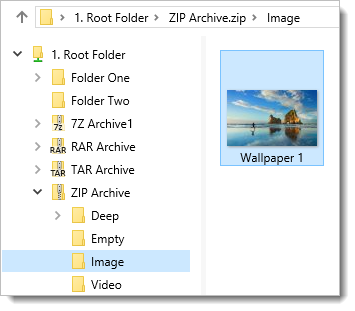
- User interface which looks and feels exactly like "Windows Explorer"; toolbar buttons for each action.
- Many root folders which can be physical or virtual folders can be set forming an access list.
- Ability to work both in physical and virtual paths.
- Internal password protected security system which can be disabled if you want to use NT Challenge/Response as login.
- Advanced listing of files and folders which can be sorted by many column types. Customizable page size options.
- Folder navigator that enables you to jump to any folder instantly.
- Internal text editor which can edit files both in physical and virtual paths.
- Internal image viewer which can load images both in physical and virtual paths.
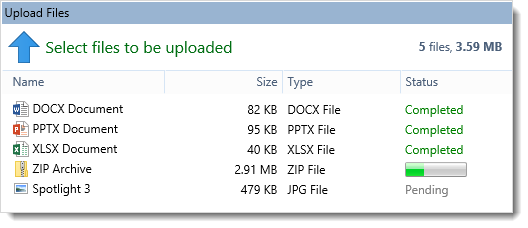
- Advanced file upload which enables uploading upto 50 files at once.
- Efficient and improved internal upload support without any need for 3rd party upload components which works on any server.
- Upload component plugin system which enables you to use most popular upload components if you want(Currently supported components: SA-FileUp, AspUpload, aspSmartUpload).
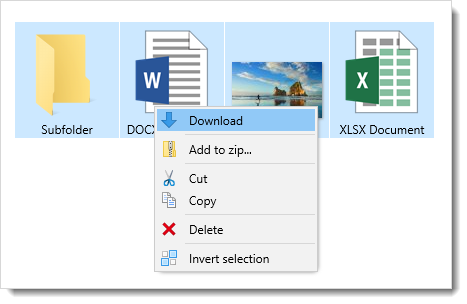
- Download files(brings up save as dialog) or open them in a new browser window.
- Create new folders/files, rename and delete files.
- View and change properties of a file or a group of files.
- Cut/Copy/Paste files and folders.
- Every preference of WebExplorer Pro is edited on the Preferences page for ease and comfort.
- Icons for a number of file extensions(about 30), also ability to add you custom file icons by simply putting the icon images in "images/icons/" folder.
- Lot more feature details, please take a look at Live Demo.
Requirements
Server side
- IIS/PWS
- Microsoft Windows Script 5.1+ (here)
- Microsoft Data Access Components (MDAC) 2.5+ (here)
- No components required but there is support for some popular upload components (Currently supported components: SA-FileUp, AspUpload, aspSmartUpload)
Client side
-
Internet Explorer 5.0+ (javascript and session-state cookies should be enabled).
Optimized for IE so it will probably not work with Netscape Navigator.
For best user interface performance, IE 5.5+ is recommended.
Setup
- Unzip the distribution to a folder in your web root like "wexpro"
- WebExplorer Pro does not need an application in IIS to be created but it will be more efficient if you are able to do it.
- Add a NTFS permission entry for Internet Guest Account "IUSR_MACHINENAME" to "wexpro" folder and allow "Modify" permission for this user.
This will enable WebExplorer Pro to write configuration files within this folder.
- Start prefs.asp (password=tester)
- Change the temporary password "tester" to something secure.
- Edit the access list. You must enter at least one root folder for the access list.
- Now you can start WebExplorer Pro.
Copyright
WebExplorer Pro is distributed as a set of encrypted ASP files but HTML and CSS parts of these files are open source and fully customizable so that you can modify the look and layout of the application.
You are not allowed to distribute or sell your customized version of the application. This price also includes continuous support and product updates.
We also offer Source Code License at a higher price if you need to access non-encrypted ASP source code.
Version history
-
May 2005 - Version 2.4.2
- Added WYSIWYG editor (HTMLArea) for editing HTML files.
- Improved download performance on IIS 6 servers.
-
September 2003 - Version 2.3
- "Save target as" option is now available for files.
- New constants calculateTotalSize and calculateFolderSize.
- Some cosmetic changes.
- Minor fixes.
-
September 2002 - Version 2.2
- Folder tree can be disabled or subfolder scanning level can be customized on the preferences page.
- Fixed problems raised on servers with non-english Windows.
- Auto-refresh after upload and confirmation dialog after saving for editor window.
- Minor optimizations.
-
May 2002 - Version 2.1
- Removed the download window and improved downloading.
- Minor optimizations.
-
October 2001 - Version 2.0
- Highly improved user interface which looks and feels exactly like "Windows Explorer";
toolbar buttons for each action, access list and folder tree for easy navigation,
file listing and sorting by many column types.
- Optimized code which works much faster and more efficiently.
- Ability to show or hide files/folders that have hidden attribute set.
- Customizable upload slots, upto 50 files can be uploaded at once.
- Copy/Cut/Paste actions are now like they are in "Windows Explorer".
- Access list which allows you to have many root folders which can be physical or virtual folders.
-
June 2001 - Version 1.2
- Added icons for a number of file extensions(about 30), it's now easier to distinguish files in the listing.
-
May 2001 - Version 1.0
- First release.
Version: 3.00.b23
Price: $299 -
Pricing
Buy Now
Download Trial
Try Live Demo
Overview
WebExplorer Server is a web-based file management system for sharing files with user permissions and quota limits.
It features easy user interface and online administration which will allow you to manage users/groups/permissions without the need of server configuration knowledge.
It can be used for remote file storage(eg FreeDrive)/hosting services, Companies/Educational institutions that need to share documents among people.
System Logic
WebExplorer Server implements a virtual file system for maintaining security over files.
There are three default folders which are called "Service Folders" : "Admins Folder", "Groups Folder" and "Users Folder".
These are root folders, thus going upper levels from these folders is not allowed. A service folder is customizable and can be any virtual or physical folder on your server.
- "Admins Folder" (denoted by /admins) stores home folders of users that are member of group "Administrators".
- "Groups Folder" (denoted by /groups) stores folders of defined groups.
- "Users Folder" (denoted by /users) stores home folders of all other users that are not member of group "Administrators".
An internal security scheme is built in WebExplorer Server, independent from the server's security configuration.
- There are four type of file permissions that can be defined in WebExplorer Server. These permissions are Read, Write, Upload and Delete.
- A user has a username and a password. Users have to log into WebExplorer Server in order to access files.
Users are restricted by their access permissions defined on folders. Each user may have a home folder (/users/username) on which full permissions apply.
A quota limit can be defined for the home folder. This quota limit is the total disk space that can be used by the user within own home folder.
A user may be a member of none or some groups.
- A group defines a set of users and points to a group folder (/groups/groupname). Separate permissions can be defined on this group folder for each group member.
A group owner can be assigned to each group who can add/edit/delete group members and set permissions for them.
A quota limit can be defined for the group folder. This quota limit is the total disk space that can be used by group members within the group folder.
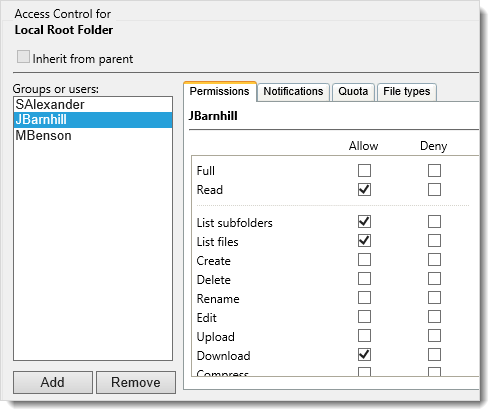
- A custom path is a virtual or physical path which can have a specific quota limit and ACL (access control list). ACL of a custom path defines each user's/group's separate
permissions on that custom path. A custom path can be used when it is required to access files outside WebExplorer Server's virtual file system.
- There is a default group named "Administrators" and a default user named "admin" who is a member of group "Administrators".
These two can not be removed from the system. Members of group "Administrators" titled Administrators can access the administration section where
they can manage users/groups/permissions and application settings. The user "admin" is titled Super Administrator because of superiority over other Administrators.
That is, Super Administrator has the ability to manage service folders/custom paths and make users member of group "Administrators".
Key features
- New user interface which looks and feels like "Windows Explorer".
- Toolbar and different icons for every action.
- File listing exactly like "Windows Explorer" with different icons for different file extensions which even allows you select multiple items by using CTRL and SHIFT keys.
- Listing and sorting by Name, Size, Type, Modified, Accessed, Created and Attributes columns.
- Easy download by just double clicking items in the list.
- Preferences screen for every user.
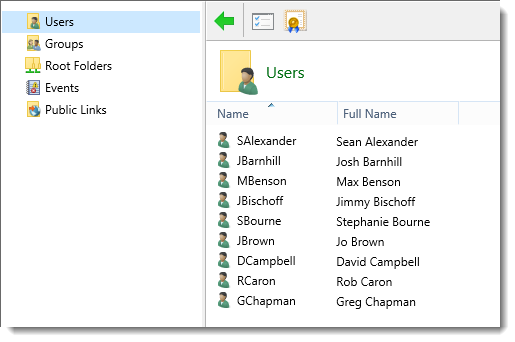
- Administration panel on which users/groups can be added/edited/deleted and application settings can be edited.
- "Access List" and "Folder Tree" for easy navigation through folders.
- Text editor and image viewer
- Efficient and improved internal upload support without any need for 3rd party upload components which works on any server.
- Upload component plugin system which enables you to use most popular upload components if you want(Currently supported components: SA-FileUp, AspUpload, aspSmartUpload).
- Number of file upload slots are customizable which allows you upload upto 50 files at a time.
- Quota management system which allows defining the quota limits for users and groups.
- Account signup page with the ability to define the quota limit for signed up users.
- Activation/Deactivation of users and ability to delete accounts which are not used for a specific period.
- Lot more feature details, please take a look at Live Demo.
Requirements
Server side
- IIS/PWS
- Microsoft Windows Script 5.1+ (here)
- Microsoft Data Access Components (MDAC) 2.5+ (here)
- No components required but there is support for some popular upload components (Currently supported components: SA-FileUp, AspUpload, aspSmartUpload)
Client side
-
Internet Explorer 5.0+ (javascript and session-state cookies should be enabled).
Optimized for IE so it will probably not work with Netscape Navigator.
For best user interface performance, IE 5.5+ is recommended.
Setup
- Unzip the distribution to a folder like "wexserver" on your server.
- WebExplorer Server does not need an application in IIS to be created but it will be more efficient if you are able to do it.
- Add a NTFS permission entry for Internet Guest Account "IUSR_MACHINENAME" to "wexserver" folder and allow "Modify" permission for this user.
This will enable WebExplorer Server to write configuration files within this folder.
- Either Revoke IIS "Read" permission from the "wexserver\db" folder so that downloading of the database is prevented or
move the database to some other folder which is secure but don't forget to modify the database path in "inc_config.asp".
- Start admin.asp (username=admin, password=tester)
- Edit default user "admin" and change the temporary password "tester" to something secure.
- Open "Service Folders" tab and choose your three service folders: Admins Folder, Groups Folder and Users Folder.
- A service folder should have "IUSR_MACHINENAME - Modify" NTFS permission for all file actions in WebExplorer Server to work.
If you choose a folder within web root as a service folder, you should revoke IIS "Read" and "Execute" permissions
so that total security is maintained over files.
- Now you can add groups/users or start WebExplorer Server.
Copyright
WebExplorer Server is distributed as a set of encrypted ASP files but HTML and CSS parts of these files are open source and fully customizable so that you can modify the look and layout of the application.
You are not allowed to distribute or sell your customized version of the application. This price also includes continuous support and product updates.
We also offer Source Code License at a higher price if you need to access non-encrypted ASP source code.
Version history
-
June 2005 - Version 3.00.b23
- Several fixes and optimizations.
- Improved download performance on IIS 6 servers.
-
March 2004 - Version 3.0
- User interface is rearranged for more simplicity, some cosmetic changes.
- Highly improved file system logic: It is now possible to assign custom paths to users/groups with separate permissions for each. See "Custom Paths" tab on the administration panel.
- Separate permissions for each member can be defined on a group folder.
- A group owner can be assigned to each group who can add/edit/delete group members and set permissions for them.
-
April 2003 - Version 2.9
- "Save target as" option is now available for files.
- Database connection is optimized.
- Added restart.asp to allow administrator force restarting the application, useful when updating versions.
- Some cosmetic changes.
- Minor fixes.
-
September 2002 - Version 2.8
- Admins,Users and Groups folders can be separated so now there are 3 service folders which can be set independently.
- Folder tree can be disabled or subfolder scanning level can be customized on the preferences page.
- Fixed problems raised on servers with non-english Windows.
- Minor optimizations.
-
May 2002 - Version 2.6
- Removed the download window and improved downloading.
- Minor optimizations.
-
February 2002 - Version 2.5
- Quota management system.
- Account signup with customizable quota.
- Detailed user information.
- Ability to delete unused accounts.
- Activation/Deactivation of users.
- Many improvements and small fixes.
-
August 2001 - Version 2.0
- First release.