ASP.NET File Manager and ASP.NET File Uploader
FileUltimateIntegrate a file manager into your ASP.NET application or site rapidly.
- Browse and manage files with access control.
- Accept files with the advanced upload functionality (uploader is also available as a standalone component).
- Offer a structured and neat download area.
- Preview documents (70+ file formats, including PDF & Microsoft Office), images, audios and videos.
Compatible with .NET .NET Core .NET Framework
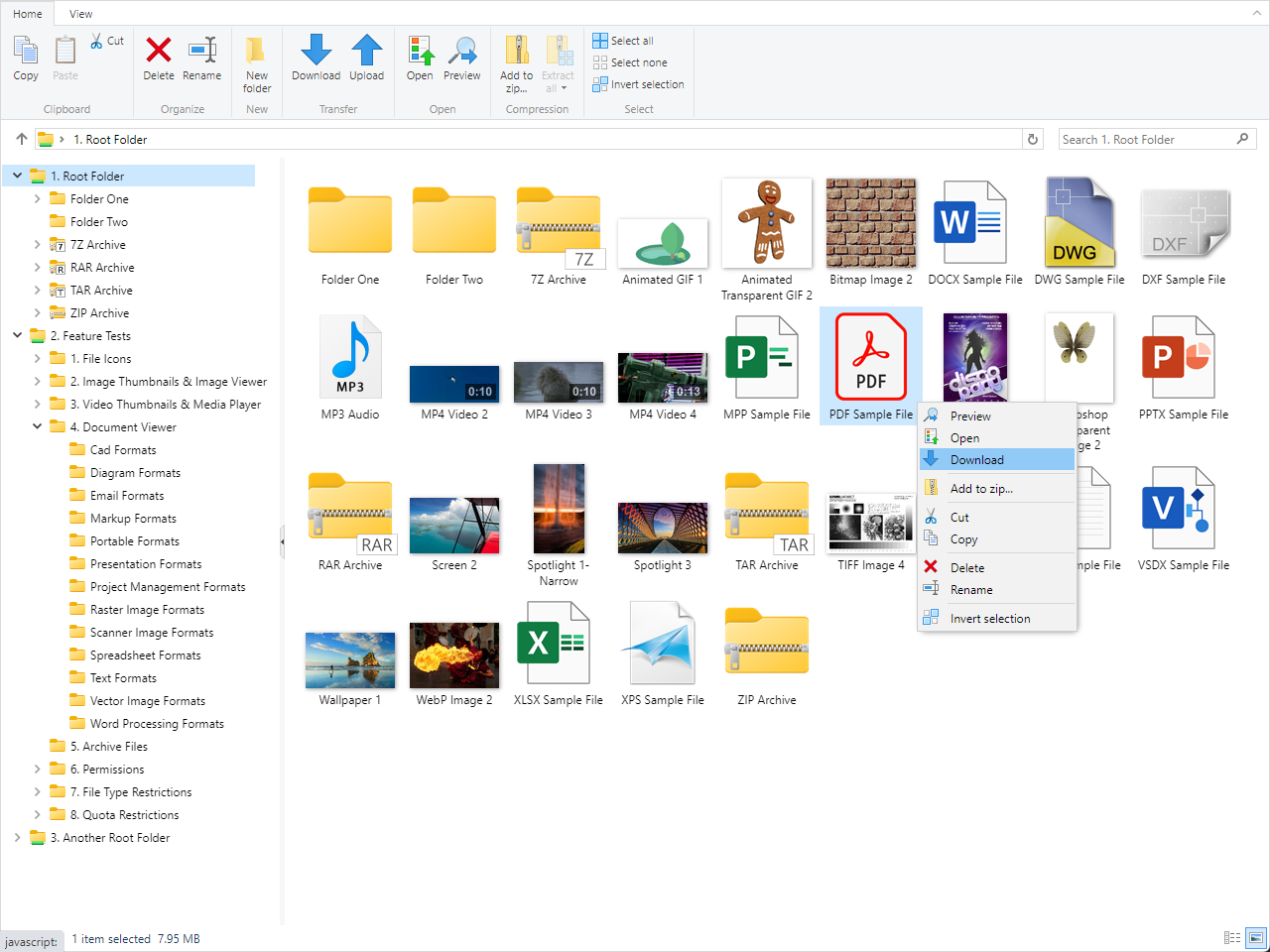


Stunning and Intuitive User Interface
The file manager looks and feels like Windows File Explorer and follows user interface guidelines. Let your users easily manage their files with the comfortable and intuitive approach already known from the daily desktop working environment and minimize user learning curve.
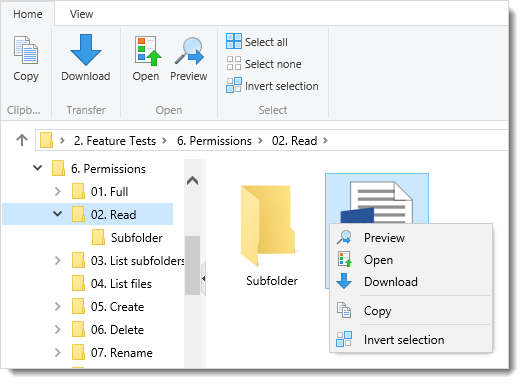
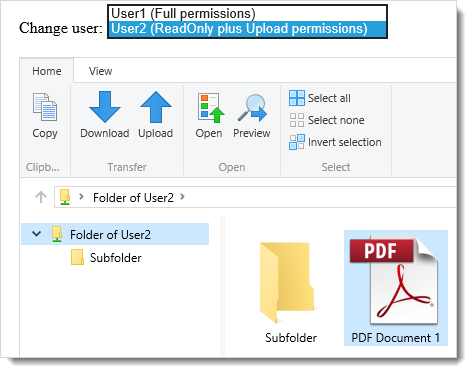
Actions are both represented on the ribbon (top) toolbar and in the context menus and they are automatically disabled/hidden when not available e.g. when corresponding permissions are not granted. This way users will only see the actions that are available to them and they will not be confused.
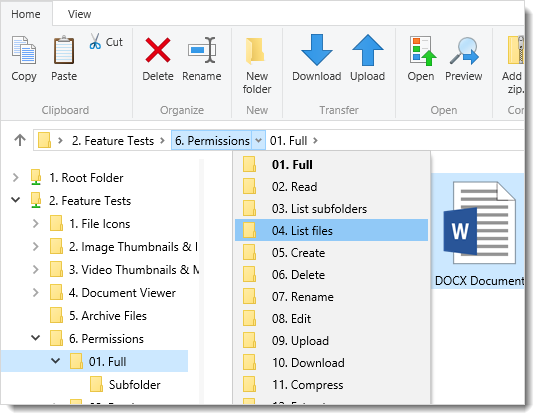
Navigation (folders) pane allows fast hierarchy browsing and breadcrumb navigation bar allows users to keep track of their location and to drill down folders easily.
Folder contents are displayed via a multi-view which supports 6 different view layouts: Extra large icons, Large icons, Medium icons, Small icons, Details and Tiles. Thumbnails for all common image and video files are displayed. For all other file types, high-res icons are displayed.

View Any Document Anywhere
Advanced Document Viewer can open and display (read-only) wide range of document file formats (70+):
- Microsoft Word
- Microsoft Excel
- Microsoft PowerPoint
- Microsoft Visio
- Microsoft Project
- Microsoft Outlook
- OpenDocument Formats
- AutoCAD Drawings
- XPS
- Scanner Images (Tiff, DjVu, DICOM)
- and more...
Your users don't need to have an application (eg. Microsoft Office) on their computer to be able to view these documents.
The Document Viewer supports High Resolution. Text, fonts and vector elements are preserved and rendered in high-res with no rasterization. Zoom in as much as you want, your documents will look great and same as they do in the program that created them.


Play Video and Audio Files
Media Player can open and play all common video formats:
- MP4, M4V
- F4V
- MOV
- FLV
- WEBM
- OGV
- and on some browsers MP4V, 3G2, 3GP, MKV
and all common audio formats:
- MP3
- AAC
- M4A
- F4A
- OGG, OGA
- VORBIS
Media Player will first try Html5 video feature of the browser and if not supported it will try Flash mode. If a media format is not playable at all on the browser, media player will prompt the user to try opening the file directly on his computer/device so you automatically have a streaming media server.


View Image Files
Image Viewer can display all common image formats including Photoshop:
- Jpeg
- Png
- Gif
- WebP
- Bmp
- Tiff
- Tga
- Psd, Psb
- Raw (Digital Camera Image) Formats
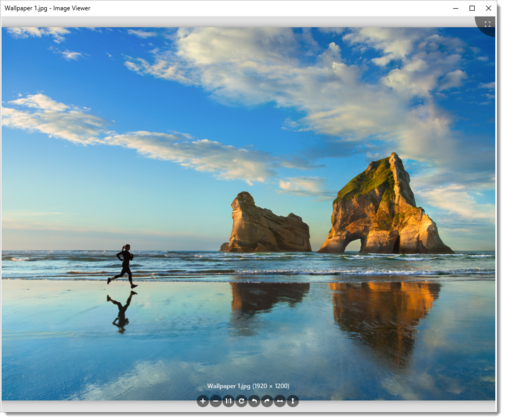
Image Viewer supports zooming, panning, rotating and flipping. Transparent images will be displayed with a nice background pattern to differentiate them from images with solid color backgrounds.
Browse Archive Files
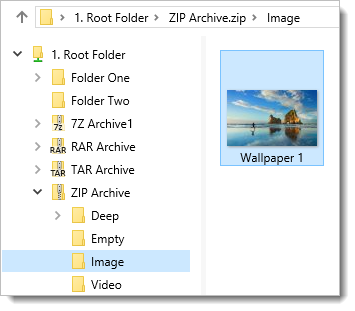
The contents of all common archive formats can be browsed just like regular folders:
- ZIP
- 7Z
- RAR
- TAR
- GZ
- TAR.GZ (TGZ)
- TAR.BZ2 (TBZ, TBZ2)
This is similar to "Compressed Folders" in Windows Explorer but for all archive formats not just for zip format. In addition, it supports displaying thumbnails while in archive and supports browsing nested archive files so it's more advanced than Windows Explorer's feature.
The zip files can be modified but other formats are read-only. For example, you can directly upload into zip files and download files directly from all archive files.
Advanced Uploads
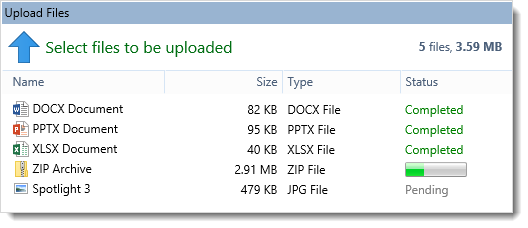
Upload multiple files or even whole folders at once. Upload by dragging and dropping directly from your computer. Upload files of unlimited size (e.g. a 10 GB huge file).
Uploader is also available as a standalone component.
Advanced Downloads
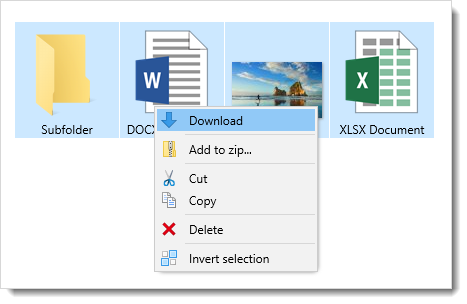
Download multiple files or even whole folders at once. When downloading a single file, pausing/resuming in the browser is possible so interrupted downloads can be completed. Download files of unlimited size (e.g. a 10 GB huge file).
Browse Files with Access Control
Store your files on the local server or on the network without changing your existing folder structures. Create root folders which point to existing paths and start serving files immediately.
Prevent navigating up to parent folders with "Root Folder" concept. Define root folders which point to existing paths on the server or on the network. Set display names for root folders and hide the actual path information for security.
You can define 3 types of root folders:
-
Physical root folder which can point to one of the following:
- A local path, e.g. d:\files
- A network path (UNC), e.g. \\server\share
- An application-relative path, e.g. ~/App_Data/RootFolder1
- A virtual path, e.g. /webfolder/test
It's possible to connect to network folders or secured local folders via specific credentials or already authenticated Windows users.
- Cloud root folder which points to an Amazon S3 bucket
- Cloud root folder which points to a Microsoft Azure Blob container
Limit actions, disk usage and file types on folder basis. File manager will automatically show or hide actions according to the viewed folder's access control.
Enjoy Performance Optimizations
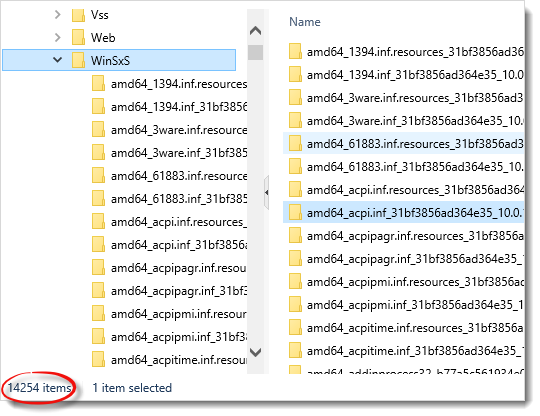
Renders fast and keeps the load on the page at minimum by minifying, combining and compressing Javascript and CSS files and by not using ViewState. Minimizes memory usage and has robust code, free from memory leaks. Keeps a responsive UI while processing large amounts of data.
Integrate Easily and Rapidly
Provides flexible object model for full integration. Integrates easily with any authentication provider.
Monitor Everything
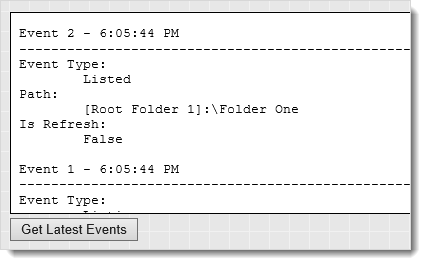
Raises events for every action. Plug in your own code by registering event handlers and track and audit every action.
Enable Seamless UX Across Devices and Browsers
Save the hassle of figuring out browser and device differences. FileUltimate will look and work flawlessly across web browsers on Windows or Mac or a mobile device.

Offer Localized UI
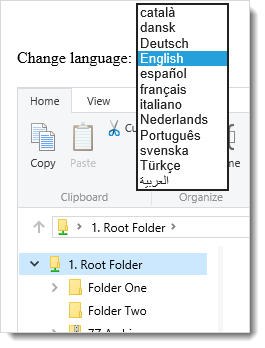
Let international access for your file manager. Use one of the bundled languages. Add a new language or customize an existing language easily.


Integrate a file manager into your ASP.NET application or site rapidly.