Gleam Technologies
Home
Site Map
Products
FileVista
FileVistaControl UPD!
WebExplorer
Support
Knowledge Base
Support Forums
Customer Center
Sales
Pricing
Sales Inquiry
Sample Clients

Web Based File Manager in ASP.NET: FileVista


Version 3.0


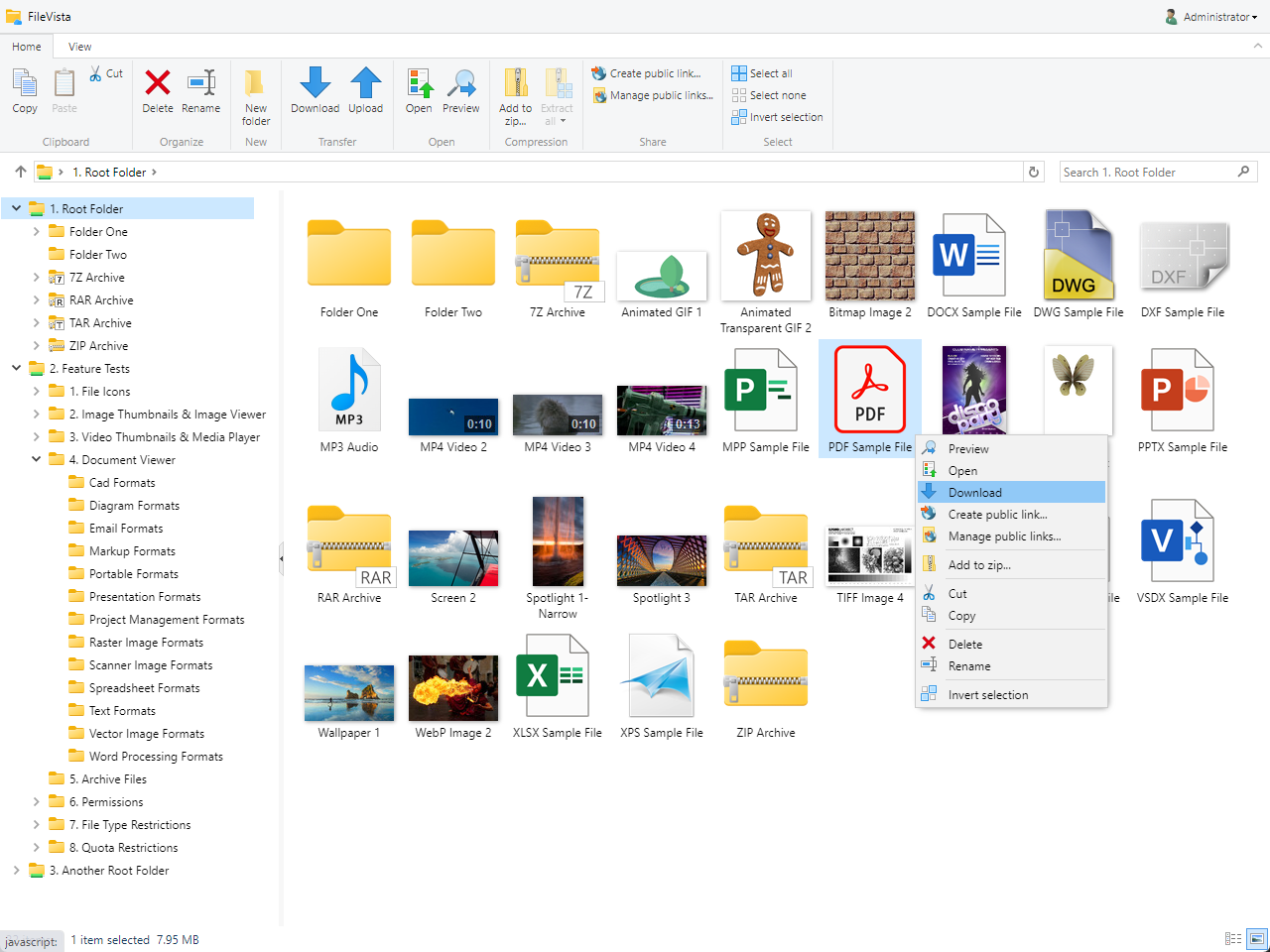
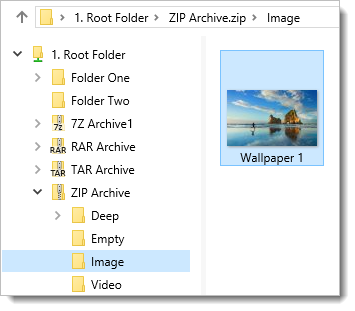
FileVista FileVista is a web based file manager developed with ASP.NET technology. Basically, it will turn your standard browser into "Windows Explorer" like user interface and allow managing files on your web server on the fly. It's a complete replacement of traditional FTP, allowing you to manage files on your web server just with a web browser instead of a FTP client that you would have to install on the client computer first. It also provides extended features which are impossible with FTP such as zipping and unzipping files on the fly. It's a standalone web application featuring built-in authentication and user/group administration.

If you need to integrate a web-based file management solution into your existing project, please see ASP.NET Control for Web based File Management: FileVistaControl.

FileVista is the ASP.NET version of WebExplorer family. FileVista is redesigned and rewritten from scratch with using state of the art web programming techniques in ASP.NET 2.0 with C#, AJAX and DHTML. If you require an ASP solution, you can still prefer WebExplorer family as support will continue and upgrade to FileVista will be possible.

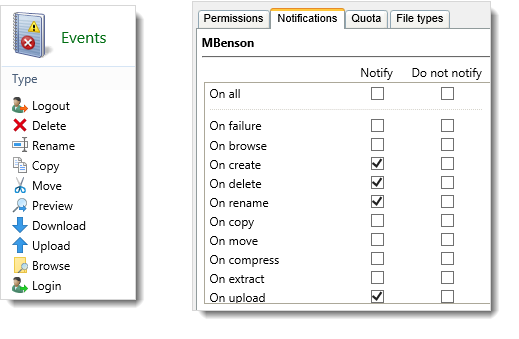
  • NEW! Ability to log events (audit trail). The following events are logged for each user: Login, Logout, Failure, Browse, Create, Delete, Rename, Copy, Move, Compress, Extract, Upload and Download
  • NEW! Administration page for group managers (sub-administrators) for administering their own member users.
  • Ability to resume cancelled/interrupted file downloads and accept segmented/accelerated file downloads with download managers.
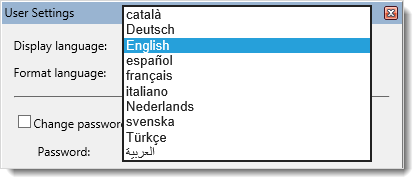
  • Multi language support for the user interface. Currently available languages: English, Turkish.
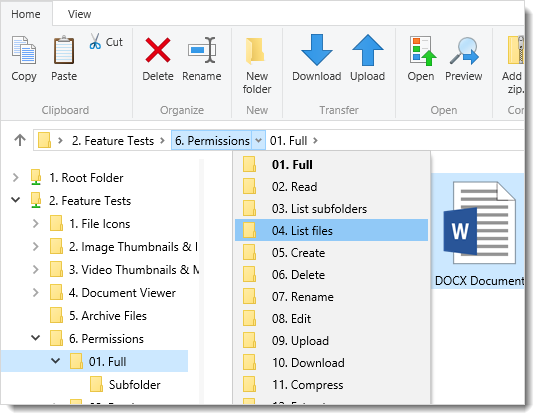
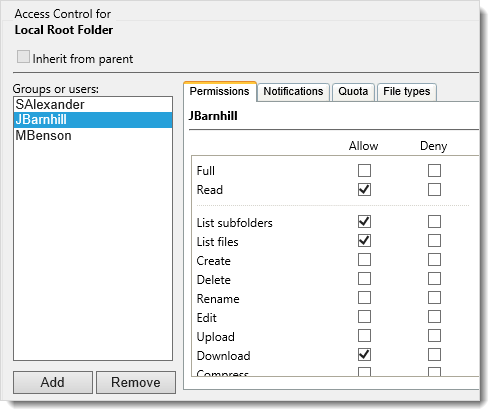
  • Multi-User infrastructure, every user can have different permissions and quota limits on folders.
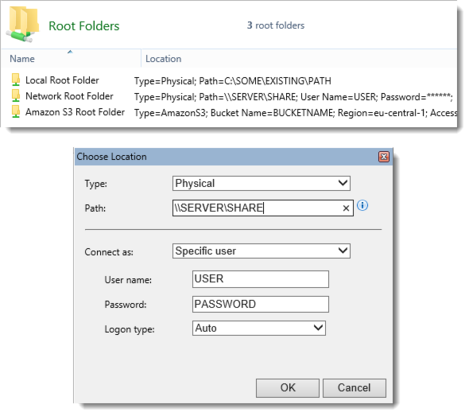
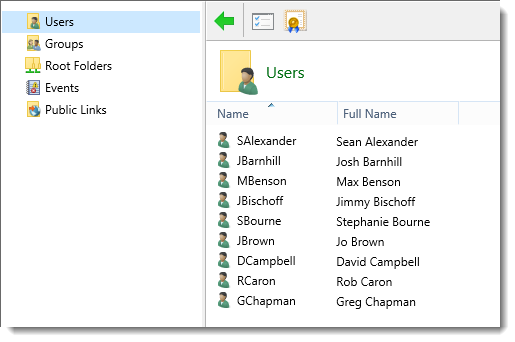
  • Administration page to manage users/groups/root folders on the fly.
  • A Web based Configuration Wizard will help you setup your database when you first run the application, no hand editing of configuration files is required.
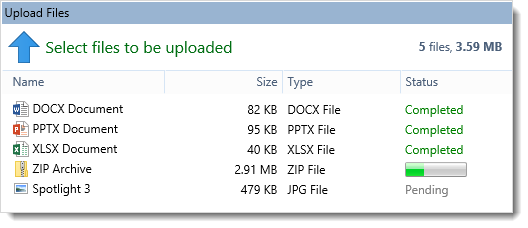
  • Upload upto 2GB of files with progress bar! Minimal use of server resources with upload/download.
  • Zip/Unzip files !
  • Cross browser, works with most modern browsers. Tested with Internet Explorer and Firefox.
  • Fast response: communicates with the server via XML, no reloading of the pages
  • Stunning user interface rendering, extending the limits of a web application.
  • Easy and fast folder navigation with tree view.
  • Fast file listing, client-side sorting on the fly.
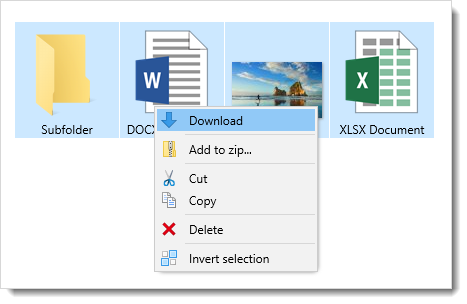
  • Context menus for a neat and simple user interface.
  • Installer program available, a MSI setup package will install the web application automatically.

Server side
  • Windows 2000 / 2003 / 2008 or Windows XP / Vista running IIS (Internet Information Services) 5, 6 or 7
  • Microsoft .NET Framework 2.0 Service Pack 1 - Download (23.6 MB)
  • No dependancy on any 3rd party components.
Client side
  • Compatible with most of the modern browsers. Currently confirmed browsers:
    Internet Explorer 6.0 and 7.0
    Firefox 1 and 2
    Safari
  • Javascript and Cookies should be enabled in the browser.

There are two different ways to install this web application depending on your accessibility to the target web server:
  • If you can access the target web server physically or via Remote Desktop, then
    • Extract the "FileVista.msi" file from the distribution zip package.
    • Run this MSI setup file on the target web server. It will guide you with a wizard for an easy and automated installation.
    • Before finishing the setup wizard, please read the configuration notes. You can also refer to these notes anytime by opening the document filevista/help/configuration.rtf.
  • If you can access the target web server via FTP only, then
    • Extract the "FileVista" subfolder from the distribution zip package.
    • Upload this subfolder to the target web server via FTP.
    • Create an IIS Application for this folder in your hosting control panel. If you don't have this option, request your hosting company/server administrator to do this for you.
    • Please read the configuration notes (in filevista/help/configuration.rtf).

After the installation is complete, you can run the application via navigating to a URL like http://localhost/FileVista or http://www.MyWebSite.com/FileVista in your browser. You will be greeted by the Configuration Wizard (configuration.aspx). This wizard will help you configure the application for first run by guiding you through the steps like choosing a database type and setting administrator name and password. The wizard will also show you information on possible problems such as lack of permissions and it will suggest instructions to solve them. After you finish the wizard successfully, you will be able to log into the application with the administrator credentials.

If you cannot even start the Configuration Wizard then there is a problem with your installation such as wrong ASP.NET version. Please make sure that ASP.NET 2.0 is installed and it’s the active version for the installed FileVista folder. This can be checked on the ASP.NET tab of folder properties dialog box in Internet Information Services Manager.

If you want to use a SQL Server database instead of the default Access database, then use CreateSqlServerDB.sql file (in folder App_Data/database) to create a database in your SQL Server instance with the help of Enterprise Manager/Query Analyzer prior to running the Configuration Wizard.


Translating the user interface of FileVista to other languages is pretty easy. Language files are simple XML files and kept under FileVista\languages and FileVista\FileVistaControl\languages folders. The first folder contains the languages of the administration pages and the other folder contains the languages of the main folder browsing page (ie. FileVistaControl). To create a new language file, make copies of en.xml in both folders and rename them to the standard language name. For instance, rename them to de.xml for German language. Edit the new xml files and translate each string element but do not modify the key attributes. If a string includes a place holder {0}, do not forget to include it in the translated string too. You can create language files also for specific cultures. For instance, you can create de-CH.xml for German in Switzerland. There is a fallback mechanism, FileVista will first look for the language file de-CH.xml and if the file is not found, it will load the general language file of that culture which is de.xml. Whenever you create a language file or modify an existing one, please restart the application (eg. via saving web.config) so that the changes take into effect.

We will appreciate if you send us the language files you created so that we can include them in the distribution package.

  • April 4, 2008 - Version 3.0
    • Added: Event logging feature. The following events will be logged: Login, Logout, Failure, Browse, Create, Delete, Rename, Copy, Move, Compress, Extract, Upload and Download
    • Added: Group Manager (sub-administrator) feature. Group Managers will be able to administer member users on their own administration panel.
    • Added: Application settings page for changing settings for the default culture and event logging.
    • Fixed: When editing dynamic root folders which includes the place holder {user.name} in Path Property, folders will be created automatically for all the corresponding member users.

  • March 6, 2008 - Version 2.9.1
    • Improved: Safari compatibility.

  • February 12, 2008 - Version 2.9
    • Improved: Rewrote and optimized the download module, resuming downloads is now supported.
    • Improved: Rewrote and optimized the upload module for high performance and better error handling. IIS7 Integrated Pipeline Mode is now supported.
    • Changed: Temporary upload folder is no longer required, uploaded files will be directly written to the target folder.
    • Fixed: If modal dialog locks to mouse movement although the button is released during dragging, clicking once again will stop it.
    • Improved: Simplified web based setup wizard, changed name to configuration wizard.

  • January 8, 2008 - Version 2.8.2
    • Fixed: A vulnerability, details will not be disclosed for security reasons.
    • Changed: "Download As Zip" action will be controlled by Download permission only instead of Download and Compress permissions together.

  • November 21, 2007 - Version 2.8.1
    • Fixed: After a file download was started, the application was not responding until the download finished.

  • November 8, 2007 - Version 2.8
    • Changed: Integrated the recently released FileVistaControl right into the application.
    • Added: Multi language support for the user interface.
    • Added: When a new root folder is created, the path will be created if it does not exist physically.
    • Fixed: The permissions of the last group was being inherited by other groups.
    • Changed: Edit permission now controls overwriting of existing files during upload or paste actions.
    • Fixed: Login and setup issues due to browser or proxy caching.
    • Fixed: After uploading files to a folder containing huge number of subfolders and files, the files were appearing only after few minutes due to extensive used-space calculation.

  • September 30, 2007 - Version 2.7
    • Fixed: duplicate culture names were causing error in setup.aspx on Spanish Windows. Used native culture names and prevented duplication by appending culture ids (like en-Us) when necessary.
    • Fixed: msi uninstall was removing .mdb and .config files, made them permanent for upgrading safely.
    • Fixed: authentication error which occured on Visual Studio 2005 Development Web Server.
    • Fixed: if a folder has inaccessible subfolders, an error will not be raised. This makes possible to list for example, contents of c:\ which contains an inaccessible subfolder like "system volume information".
    • Added: the folder tree will sort subfolders by name right after loading.
    • Fixed: the folder tree will be always synchronized with the folder contents view, eg. a deleted subfolder will be also removed from the folder tree or a newly created subfolder will be added to the folder tree instantly.
    • Added: the folder tree will show a loading animation icon while retrieving subfolders list.
    • Fixed: the folder tree will hide the loading node on error.
    • Fixed: the folder tree will not be populated if there is no traverse permission.
    • Fixed: disabled doubleclick on grid rows when permissions are not enough for download or explore commands.
    • Changed: moved selection commands to root in tasks menus, removed unnecessary "select none" option.
    • Fixed: paste in same folder was giving file access error.
    • Added: copy/paste in same folder will generate files with new copy names, cut/paste in same folder will do nothing.
    • Fixed: clipboard will be cleared after cut/paste.
    • Fixed: paste menu option will be disabled when the clipboard is empty.
    • Fixed: handled XMLHttpRequest exceptions occured on Firefox.
    • Fixed: grid on administration page was not being refreshed after closing modal dialog window of object properties on Firefox.
    • Fixed: IE was not showing latest version of object properties in the modal dialog window due to caching.
    • Fixed: improved upload progress updating, xml calling is now more efficient, progress bar will be more precise and will not choke.
    • Fixed: clicking upload button on the upload window after session expired, showed an empty page and script errors, made it display a warning.
    • Fixed: clicking logout button after session expired, was raising an error.
    • Changed: changing extensions of file names when renaming/zipping is disabled.
    • Added: new modal dialog for prompting user for file names etc.

  • August 22, 2007 - Version 2.6
    • New modal dialog window system for a slick look and consistency of window sizes among different browsers.
    • Reorganized and rephrased compression related context menu items for simplicity.
    • Added a download button to toolbar which acts as "Download As Zip" when multiple files or folders are selected.
    • Version 0.85.3.346 of ICSharpCode.SharpZipLib.dll is used.
    • Set default value of maxrequestlength to 2gb in web.config.
    • Fixed: zipping an empty folder will be possible.
    • Fixed: if the given zip file already exits, selected files are added to the existing zip instead of creating a new zip file.
    • Fixed: removed all the pop-up confirmations that come up when editing users, groups or root folders.

  • July 27, 2007 - Version 2.5
    • Highly improved user interface of upload window; replaced ordinary file inputs with a grid for adding/removing files dynamically and listing the added files in a pretty neat way (sorting is available too), more information on files is displayed, even icons for the files are displayed.
    • Fixed: zip functions will keep the original last modified timestamp of the files.
    • Fixed: setting authentication mode to "None" in web.config will not cause an error, especially on IIS 7.
    • Fixed: size of popup windows will be exactly same in all browsers, a small change in IE7 was causing the popup windows to display bigger, this issue was similar with the recently released Safari for Windows.

  • June 20, 2007 - Version 2.2
    • Added an upgrade tool (wexserver.aspx) to upgrade from WebExplorer Server.
    • Added place holder {user.name} functionality for root folders. This place holder can be used in both name and path of the root folder and resolves to the name of the member user on access.
    • Version 0.85.1.271 of ICSharpCode.SharpZipLib.dll is used instead of version 0.84
    • Fixed: administration.aspx will redirect to root instead of showing error message "You are not allowed to view this page!"
    • Fixed: calling login.aspx directly is prevented, it will redirect to root.

  • February 10, 2007 - Version 2.0
    • All code upgraded to ASP.NET 2.0
    • Multi-User infrastructure.
    • Permissions and quota limits can be defined for users and groups on root folders.
    • Administration page for managing users/groups/root folders.

  • February 10, 2006 - Version 1.0
    • First release.

Listings

FileVista is listed in the following directories:
Copyright © 2000-2008 GleamTech